Find Your Project
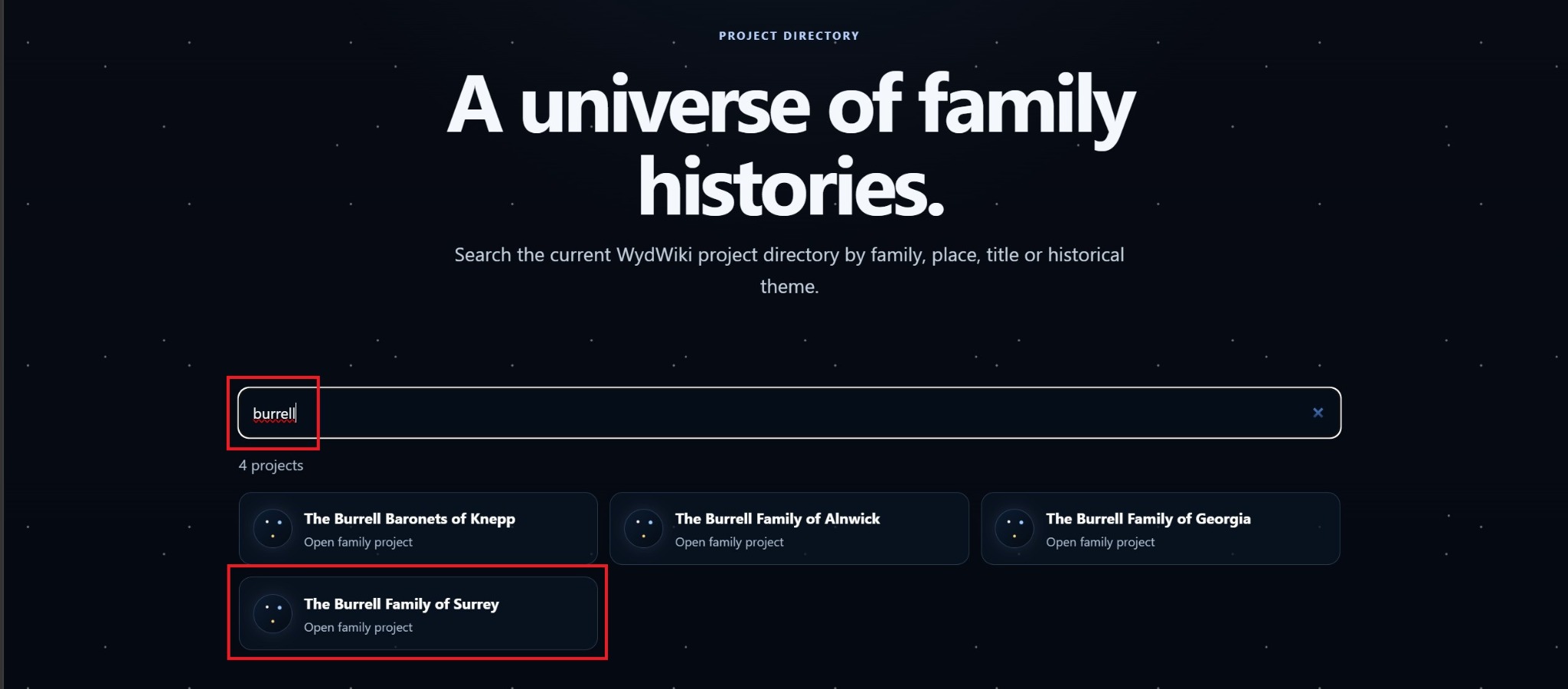
Select Projects from the menu, type the name of your project in the search bar, select your project and Sign in.
 Who’s Your Daddy?Wikigenealogy
WYDWiki uses the familiar structure of people, families, events and evidence—then makes the result explorable through Odyssey.
Select Projects from the menu, type the name of your project in the search bar, select your project and Sign in.
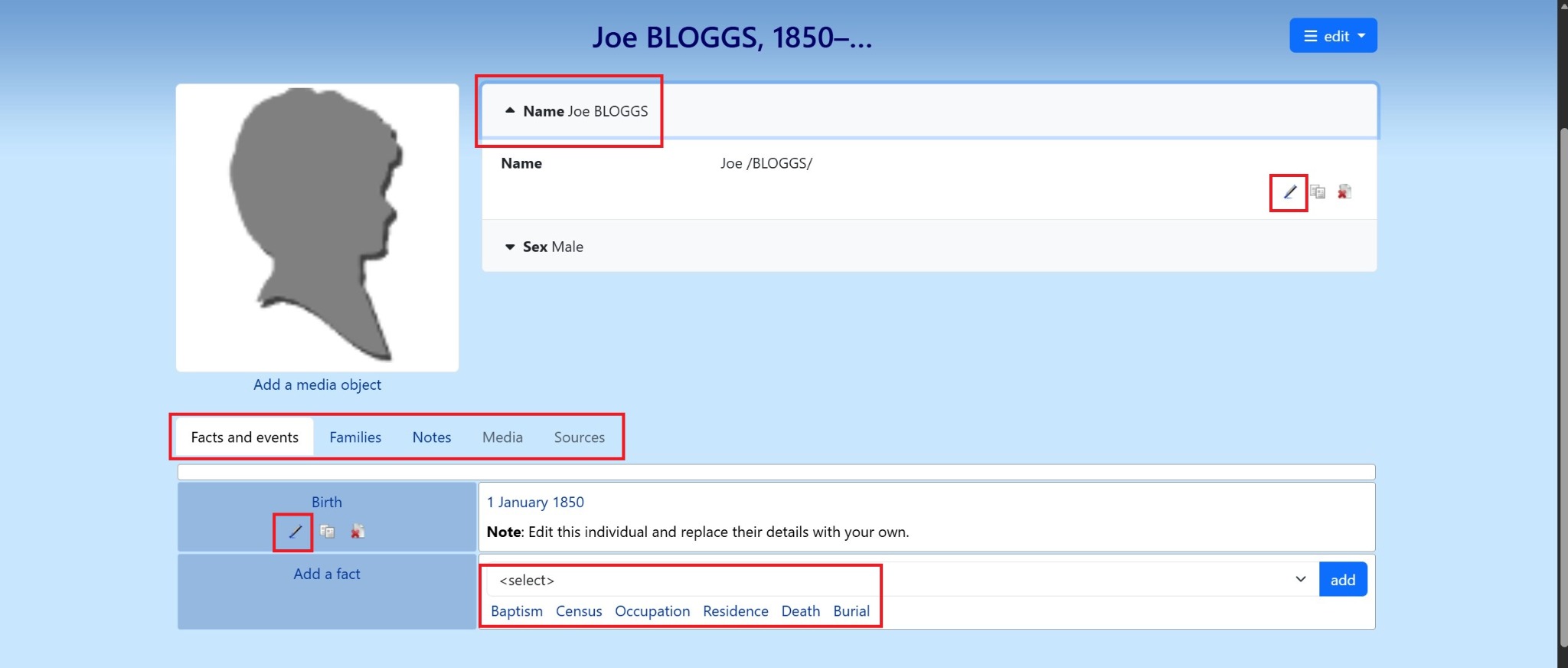
Begin with someone you know well enough to identify confidently. Then select Joe Bloggs and replace the name with the person you know.
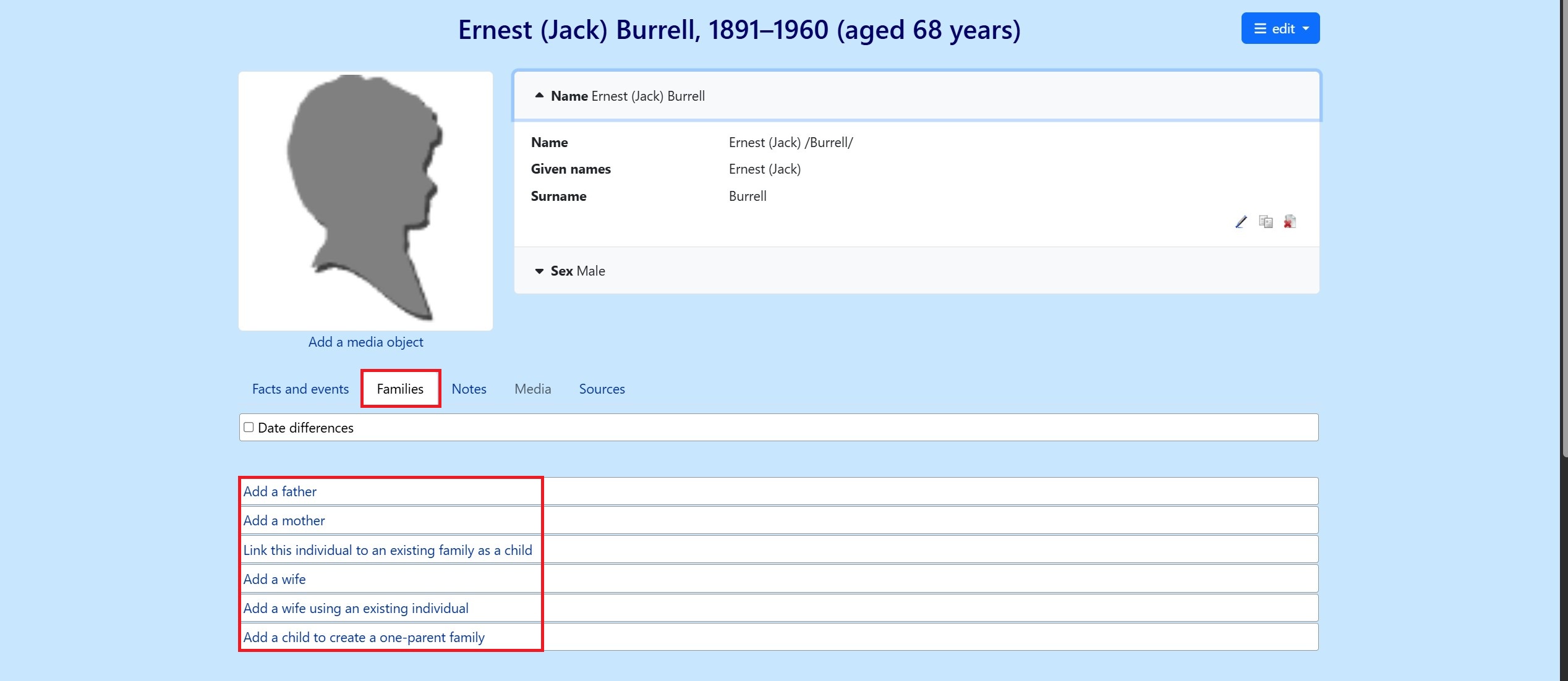
Add parents, partners, children and other relationships, checking dates and places as you go.
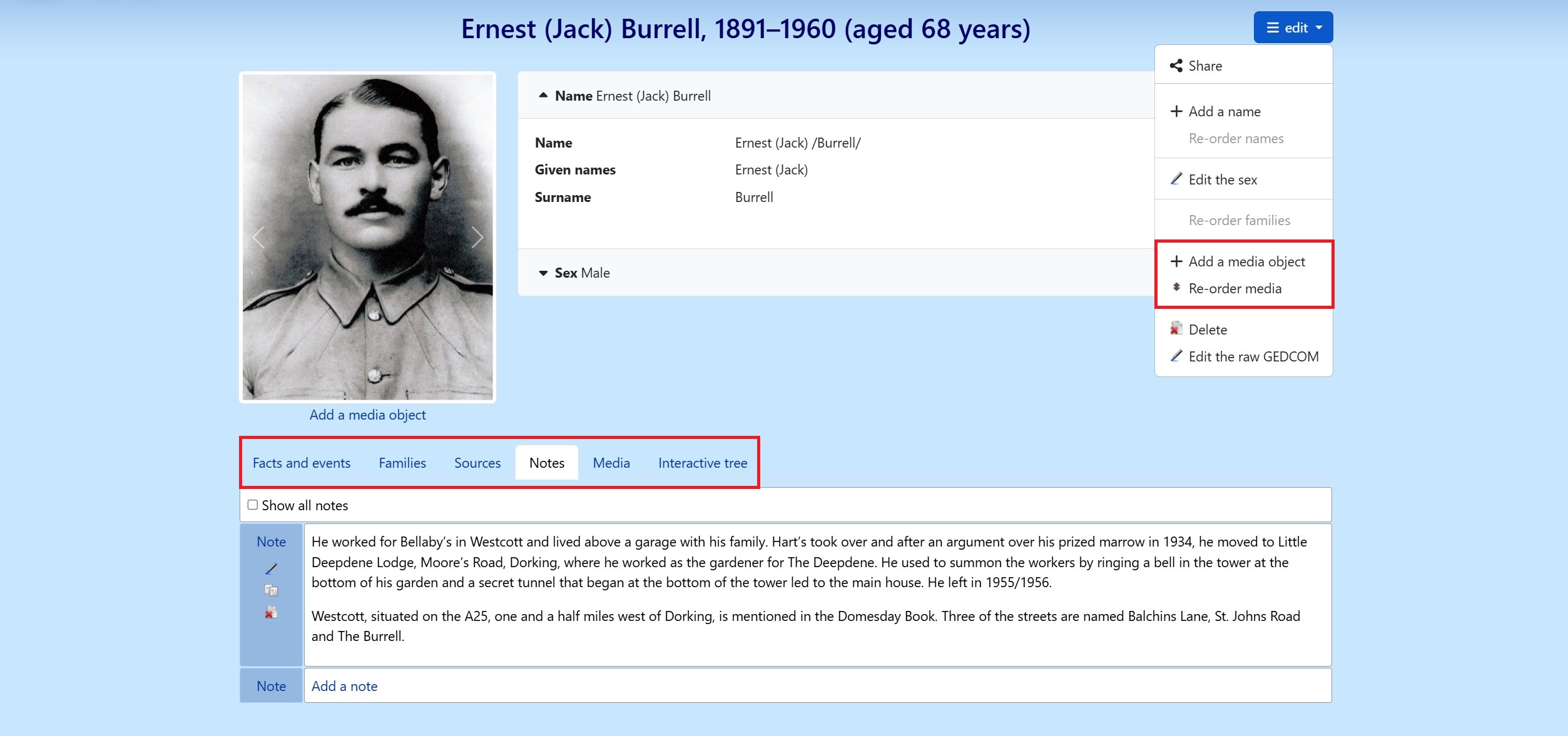
Upload photographs, documents and notes that support or explain the record.
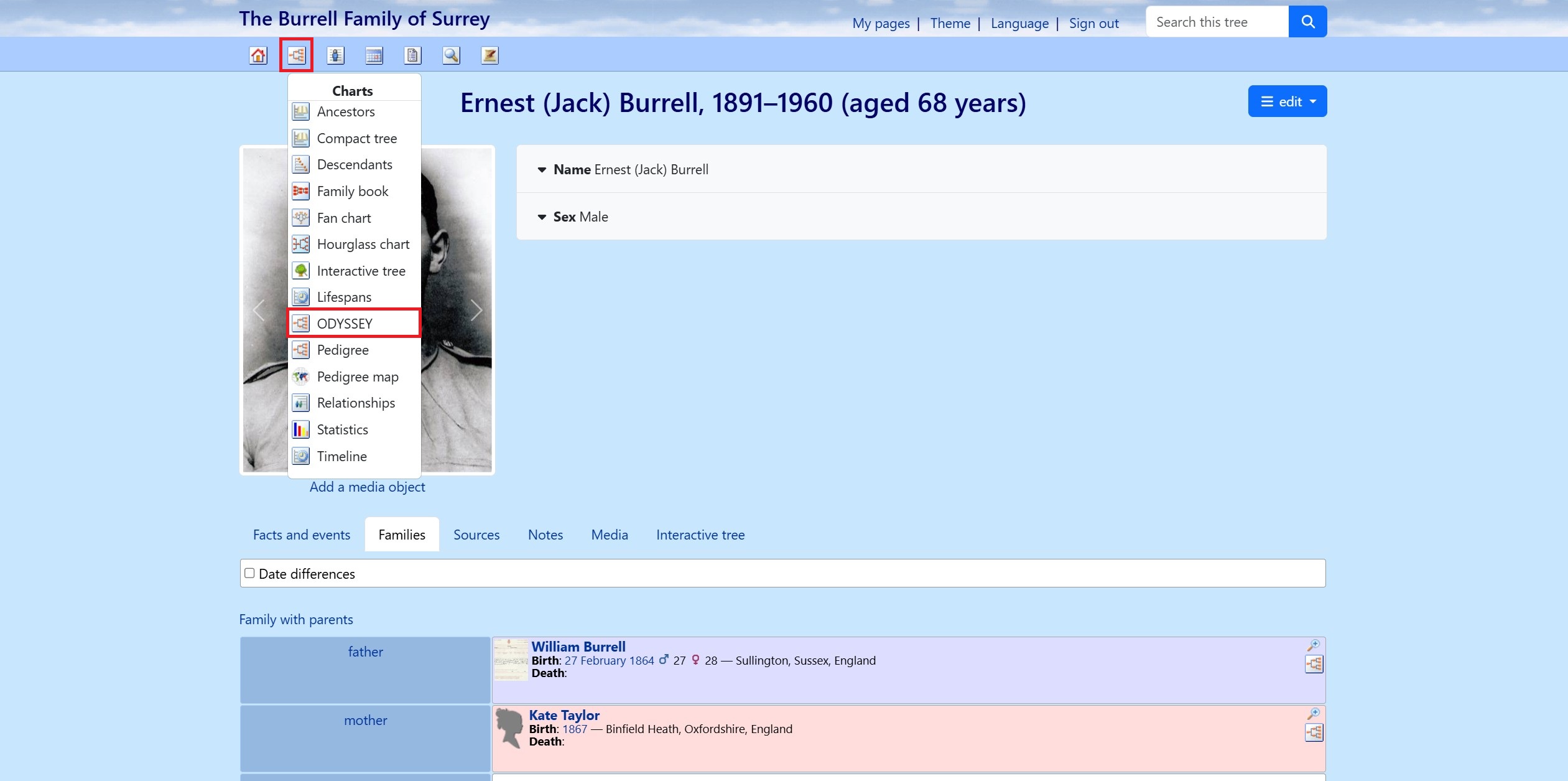
Select ODYSSEY from any Charts menu and use the 3D viewer to inspect branches, missing links and the shape of the family across generations.
Tell relatives what you have found, invite them into the story and keep family knowledge moving between generations.
Each step below matches the live WYDWiki interface.